Why Website Structure Affects Growth: SEO, UX & Leads

Why Website Structure Affects Growth: SEO, UX & Leads
Website structure determines which pages search engines index and which users reach first, and that directly controls your organic traffic, lead velocity, and conversion rates. Think of it like the floor plan of a store: if customers can’t find the checkout, they leave. If the stockroom is buried behind six doors, restocking takes forever. Your site’s architecture works exactly the same way, and getting it wrong is one of the most common (and quietly expensive) growth ceilings founders hit.
Here’s what structure actually controls:
- Search discovery: Google’s crawlers follow links to find and index pages. A disorganized site means new content gets missed or indexed slowly.
- Internal link authority: Pages linked frequently from high-traffic hubs rank better. Structure determines where that authority flows.
- Findability and friction: Users who can’t locate what they need in a few clicks bounce. That’s a lost lead, not just a bad session.
Search Engine Journal links slow pages caused by structure directly to lower conversions and traffic, which means this isn’t a “nice to have someday” fix. It’s a growth lever you’re either using or ignoring.
Table of Contents
- What does “website structure” actually mean?
- How does structure affect SEO and your search rankings?
- How does structure shape user experience and lead generation?
- Which structural elements should you prioritize first?
- Common website structure mistakes that hurt growth
- A practical audit framework you can run this week
- Why crawl budget and page speed cap your growth
- What to measure after you change your structure
- Key Takeaways
- The part most people skip (and why it costs them)
- Ready to fix your site’s architecture?
- Useful sources and tools
- FAQ
What does “website structure” actually mean?
Most founders hear “website structure” and picture their navigation menu. That’s part of it, but only the visible tip. The real architecture is the wiring underneath: the system that tells search engines what your site is about and tells users where to go next.
Here are the components you actually need to own and monitor:
- Hierarchy: The parent-child relationship between pages (Home → Services → Specific Service). A clear hierarchy keeps important pages shallow and easy to crawl.
- Navigation: Menus, footers, and internal links that guide both users and bots through the site.
- URL taxonomy: Clean, descriptive URLs (
/services/brand-designvs./page?id=42) that signal topical grouping to search engines. - Internal linking: The deliberate connections between pages that pass authority and guide users toward conversion.
- Sitemaps: XML sitemaps submitted to Google Search Console so crawlers know every page exists.
- Breadcrumbs: Trail navigation that reinforces hierarchy for users and provides structured data signals for search engines.
- Semantic HTML and headings: Proper H1/H2/H3 use so page structure communicates meaning, not just style.
- Structured data: Schema markup that helps search engines categorize and display your content correctly.
The distinction that trips most teams up: visual layout is what users see; information architecture is what search engines read and what determines whether your design will scale. You can have a gorgeous site that’s structurally a mess. 1Byte puts it plainly: treat architecture as a data decision, not a design decision. The elements most often ignored during growth sprints? URL taxonomy, orphan pages, and inconsistent canonical tags. Those three alone can quietly tank a content strategy.
How does structure affect SEO and your search rankings?
Here’s the causal chain: structure shapes how crawlers move through your site, which determines what gets indexed, which determines what can rank, which determines how much organic traffic you get. Fix the structure, and you fix the ceiling.

Crawl budget and depth are the first domino. Google allocates a limited crawl budget to each site. If your important commercial pages sit five clicks deep, or if crawlers keep hitting low-value pages (thin blog posts, filtered URLs, duplicate templates), they burn budget before reaching content that actually drives revenue. Rank Math’s guide flags this directly: an inefficient structure wastes crawl budget while new, high-value content goes unindexed.
Hub-and-spoke (silo) architecture is the fix. Group related content under a topic hub, link spokes back to the hub, and link the hub to your commercial pages. Search Engine Land describes how this amplifies topical authority: search engines see a cluster of related content pointing to a central page and interpret it as expertise. That’s the architecture that ranks.
Internal links are the mechanism that makes it work. Strategic hub-to-spoke links move link equity toward the pages that drive conversions, not just the ones that get the most traffic.
| Structural Element | SEO Effect | Business Impact |
|---|---|---|
| Shallow hierarchy (≤3 clicks) | Faster crawling of priority pages | Quicker indexing of commercial content |
| Hub-and-spoke internal links | Concentrated topical authority | Higher rankings for revenue pages |
| Clean URL taxonomy | Clearer topical signals to crawlers | Better category-level rankings |
| XML sitemap | Complete page discovery | No high-value pages left unindexed |
| Breadcrumb structured data | Reinforced hierarchy signals | Sitelink eligibility in search results |
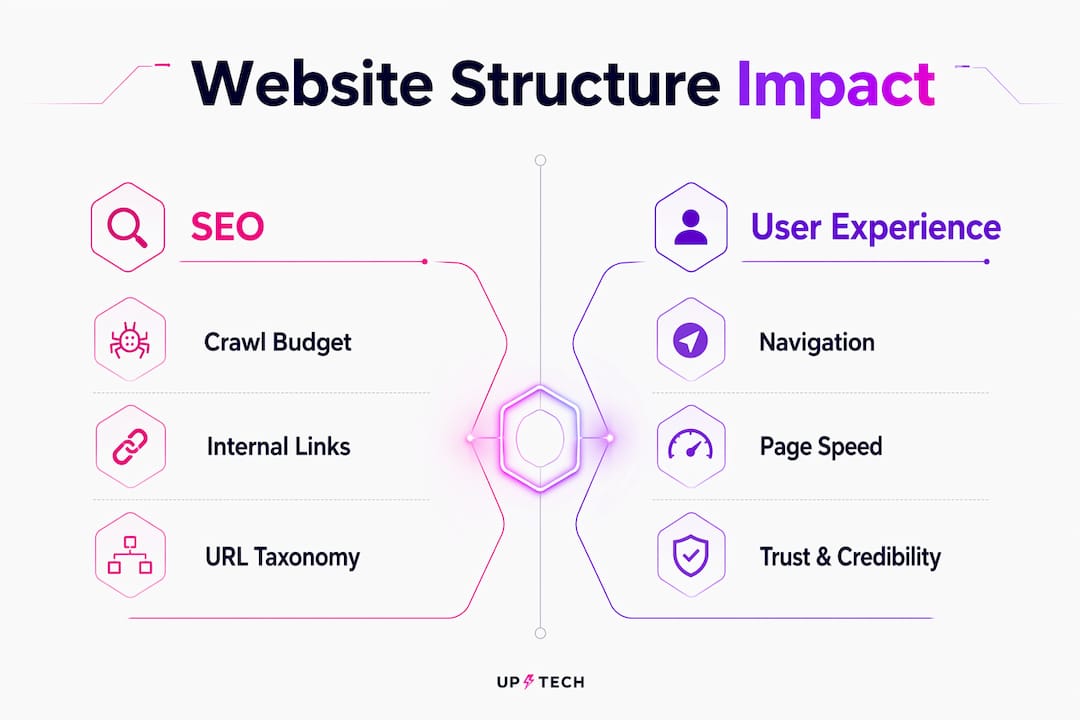
URL taxonomy and breadcrumbs act as machine-readable cues. When your URLs follow a logical pattern and breadcrumbs reflect the same hierarchy, search engines can group your content by topic without guessing. Ahrefs recommends keeping commercial pages shallow while using internal linking to support deeper content, because flat structures reduce click depth and make priority pages easier for both users and crawlers to reach.
How does structure shape user experience and lead generation?
Structure doesn’t just affect rankings. It affects whether a visitor who lands on your site actually becomes a lead.

Findability is the first conversion variable. When menus are logical, breadcrumbs show users where they are, and header structure guides them through a page, the path from “I’m interested” to “I’ll fill out this form” has less friction. Remove that friction and conversion rates climb. Add it back (buried contact pages, navigation that requires guessing, no clear next step) and you’re paying for traffic that bounces.
Trust is structural, too. Users judge credibility partly by how easy it is to find information. A site where the pricing page is three levels deep, the about page is missing from the main nav, and the blog has no category structure reads as disorganized, even if the content itself is excellent. Yale’s usability research connects clear information architecture directly to user trust and findability.
Page speed is where structure and UX collide most visibly. Heavy navigation, duplicate templates, and unoptimized resource loading are structural problems that show up as slow pages. And slow pages lose leads.
Consider a startup that restructures its service pages from a flat list of multiple links to a more organized multi-tier hub (industry → service type → specific offering). Navigation becomes intuitive, the path to a contact form shortens, and the bounce rate on service pages drops. That’s the structural change doing the work, not a new design or more content.
Pro Tip: Before redesigning anything visually, map the click path from your homepage to your top three lead-gen pages. If it takes more than three clicks, that’s your first fix, and it costs nothing but time.
Which structural elements should you prioritize first?
Not everything needs fixing at once. Here’s how to think about priority, with one concrete action for each element.
- Hierarchy: Keep commercial pages within two clicks of the homepage. The biggest short-term gain: audit your top five revenue pages and count their click depth right now.
- Navigation: Consistent menus across all pages reduce cognitive load. W3C’s WCAG guidelines require consistent navigation for accessibility, and that consistency also helps crawlers build an accurate site map.
- Internal links: Add contextual links from your highest-traffic pages to your highest-value conversion pages. This is the fastest authority transfer available without any external link building.
- URL taxonomy: Rewrite messy URLs for new content first; redirect old ones only when you have a clear canonical structure to redirect to.
- Headings and semantic HTML: One H1 per page, logical H2/H3 hierarchy. W3C’s heading guidance is clear: headings organize content for both assistive technology and search engines.
- Breadcrumbs: Add breadcrumb schema markup to category and product pages. It costs minimal dev time and can generate sitelink breadcrumbs in search results.
- Sitemaps: Submit an XML sitemap via Google Search Console and update it every time you publish or restructure a section.
- Structured data: Start with Organization and BreadcrumbList schema. These two types cover most of the machine-readable signals that matter for a startup site.
- Mobile parity: Your mobile structure should mirror your desktop structure. Hidden nav items or collapsed content on mobile creates a different information architecture for Google’s mobile-first index.
For search visibility, fix hierarchy and internal links first. For conversion lift, fix navigation and page depth. Those two tracks often overlap, which is why a structural audit usually produces wins on both fronts simultaneously.
Pro Tip: When building internal links, don’t just link from your homepage. Find the pages that already get the most organic traffic (check Google Search Console’s Performance report) and add links from those pages to your commercial hubs. That’s where the authority actually lives.
Common website structure mistakes that hurt growth
These are the errors that show up most often in audits, and each one has a direct growth cost.
- Orphan pages: Pages with no internal links pointing to them. Crawlers may never find them; users definitely won’t. Fix: add at least two internal links to every published page, ideally from a relevant hub or category page.
- Important pages buried too deep: A pricing page that’s four clicks from the homepage loses both crawler attention and user patience. Fix: restructure navigation so commercial pages are reachable in two clicks.
- Messy URL taxonomy: URLs like
/blog/post-1234or/p=567give crawlers no topical signal. Fix: implement descriptive, hierarchical URLs for all new content and redirect old ones once the new structure is stable. - Competing pages targeting the same intent: Two blog posts both optimized for the same keyword split ranking signals and confuse search engines. Yoast’s site structure guide calls this out directly: use canonical tags or merge competing pages into one authoritative piece.
- Broken or inconsistent redirects: Redirect chains (A → B → C) dilute link equity and slow crawling. Fix: audit redirects quarterly and collapse chains to single-hop redirects.
- Faceted navigation without canonicalization: E-commerce and portfolio sites that generate hundreds of filtered URLs without canonical tags create massive crawl budget waste. Fix: canonical all filtered URLs to the base category page.
The mistakes most likely to cause crawl budget waste are orphan pages, faceted navigation, and redirect chains. Those three eat crawler time without producing any indexing benefit.
A practical audit framework you can run this week
You don’t need a six-week agency engagement to find your biggest structural problems. Here’s a time-boxed approach.
Day 1: Map and crawl
- List your top 10 commercial pages (the ones that should drive leads or revenue).
- Run a crawl using Screaming Frog or a similar site audit tool. Export the full URL list.
- Identify orphan pages (no internal links pointing to them) and flag any commercial page deeper than three clicks from the homepage.
- Check Google Search Console’s Coverage report for excluded or “Discovered, not indexed” pages.
Week 1: Fix and resubmit
- Fix redirect chains: collapse A → B → C to A → C.
- Add internal links from your top-traffic pages to your priority commercial pages. Aim for at least three new contextual links per hub page.
- Clean up URL taxonomy for any new content sections you’re about to publish.
- Submit your updated XML sitemap in Google Search Console and request indexing for the pages you’ve fixed.
Tools to use:
- Screaming Frog (crawl audit)
- Google Search Console (index coverage, crawl stats, Core Web Vitals)
- Google PageSpeed Insights (speed and structural performance)
- Ahrefs or a similar tool (internal link mapping, click depth)
Prioritization matrix: Rate each fix on impact (how many pages or how much traffic does it affect?) and effort (hours of dev time). Fix high-impact, low-effort items first: adding internal links, fixing redirect chains, and submitting sitemaps all qualify. Restructuring URL taxonomy is high-impact but higher effort, so schedule it for a planned content sprint rather than an emergency patch.
When fixing structure at scale, 1Byte recommends reassigning internal links and canonical tags before mass redirects. That sequence minimizes index disruption and preserves existing authority.
Why crawl budget and page speed cap your growth
Two structural constraints that rarely make it into founder conversations: crawl budget and page speed. Both are hard limits, not soft suggestions.
Crawl budget is the number of pages Google will crawl on your site within a given period. For a startup with 200 pages, this sounds like plenty. But if 80 of those pages are thin, duplicated, or filtered URLs with no canonical tags, crawlers spend budget on junk while your new service pages wait days or weeks to get indexed. Rank Math explains that an unstructured site hides high-value content from search engines, which means your content investment doesn’t pay off on the timeline you planned.
Page speed is a structural outcome, not just a hosting issue. Heavy navigation, unoptimized images loaded by every template, and duplicate CSS across page types all add weight. That weight slows load times, and slow load times cost conversions.
The metric to watch is Core Web Vitals, specifically Largest Contentful Paint (LCP) and Interaction to Next Paint (INP). Both are influenced by how your templates and navigation are built, not just your server response time. A site with a clean, lightweight structure consistently outperforms a visually heavy one on these scores, and Google uses Core Web Vitals as a ranking signal.
For startups, the practical implication is this: a messy structure is a growth ceiling you can’t content-market your way through. You can publish 50 blog posts, but if crawlers are stuck on low-value pages and your load times are dragging, the ceiling holds.
What to measure after you change your structure
Structural changes take time to show up in rankings, but some signals move within days. Here’s what to watch and when.
Primary KPIs:
- Index coverage (Google Search Console, Coverage report)
- Organic sessions for priority pages (Google Analytics or GA4)
- Crawl stats (GSC, Settings → Crawl Stats)
- Core Web Vitals scores (GSC, Core Web Vitals report)
- Conversion rate on lead forms and landing pages
Secondary signals:
- Average click depth (crawl tool export)
- Bounce rate on category hub pages
- Internal referral traffic to hub pages (GA4 traffic source: referral, filtered by internal)
- Sitelink generation in Google Search results (manual check)
Monitoring cadence: Check GSC weekly for the first month after structural changes. After that, monthly monitoring is sufficient unless you’re doing a major content push. Re-run a full crawl every quarter, or immediately after any significant restructuring.
| KPI | Where to Find It | Why It Matters |
|---|---|---|
| Index coverage | GSC → Coverage | Shows which pages are indexed vs. excluded |
| Organic sessions | GA4 → Acquisition → Organic | Measures traffic impact of structural fixes |
| Crawl stats | GSC → Settings → Crawl Stats | Reveals crawler efficiency and budget use |
| Core Web Vitals | GSC → Core Web Vitals | Tracks speed-related structural performance |
| Conversion rate | GA4 → Conversions | Connects structural UX changes to lead volume |
| Click depth | Screaming Frog export | Identifies pages buried too deep for crawlers |
Key Takeaways
Website structure is the single most controllable growth lever most founders aren’t actively managing, and fixing it produces measurable gains in indexing speed, organic traffic, and lead conversion simultaneously.
| Point | Details |
|---|---|
| Structure controls indexing | Pages buried deep or orphaned get crawled less, which delays or prevents ranking. |
| Internal links transfer authority | Link from high-traffic hubs to commercial pages to move equity where it drives revenue. |
| Speed is a structural outcome | Heavy templates and duplicate navigation inflate load times and hurt Core Web Vitals scores. |
| Audit before redesigning | Map click depth and run a crawl before any visual redesign to avoid rebuilding problems into a new site. |
| Coumba Win Design approach | Coumba Win Design treats architecture as the first design decision, building hierarchy and internal-link strategy before any visual layer. |
The part most people skip (and why it costs them)
Here’s an opinion you won’t hear from most design agencies: the majority of startup sites don’t have a content problem or a design problem. They have a structure problem that makes both look worse than they are.
I’ve seen founders invest heavily in content marketing, then wonder why organic traffic barely moves. The answer, almost every time, is that the site’s architecture is working against the content. Crawlers are burning budget on low-value pages. New posts are orphaned. The blog has no hub structure, so every article competes with every other article for the same broad keywords. The content is fine. The wiring is broken.
The conventional wisdom says “publish more, rank more.” That’s true only if your structure lets search engines find and prioritize what you publish. Without that, you’re filling a leaky bucket.
There’s also a UX version of this problem. Founders spend months on visual polish, then launch a site where the contact page is buried, the services section has no clear hierarchy, and mobile navigation collapses the most important links. The design looks great in a Figma mockup. In production, it loses leads every day.
The fix isn’t always a full redesign. Often it’s a targeted audit, a few redirect fixes, a round of internal linking, and a sitemap resubmission. Those changes can move the needle on indexing within weeks. The benefits of professional web design aren’t just aesthetic; they’re architectural. And architecture is where growth actually lives.
Structure before flourish. Every time.
Ready to fix your site’s architecture?
If you’ve read this far and you’re mentally running through your own site’s click depth, orphan pages, and redirect chains, that instinct is right. Structural problems are fixable, and the payoff shows up in metrics you can actually report: faster indexing, more organic sessions, and a cleaner path from landing page to lead form.
Coumba Win Design works with startups and growth-stage founders to build sites where the architecture and the design work together from day one. That means a clear hierarchy before a single visual element is chosen, internal-link strategy built into the content plan, and conversion paths that don’t require users to guess. The result: sites that search engines can crawl efficiently and users can navigate without friction.
If you want a structural review or a full redesign that starts with information architecture, see what Coumba Win Design builds or explore the development components that go into every project. The next step is a conversation, not a commitment.
Useful sources and tools
A short list of the most useful references for running the audits and fixes covered above:
- How Website Structure Affects SEO — Search Engine Journal
- Website Architecture in SEO That Ranks and Scales — 1Byte
- Website Structure: Ultimate Guide to Effective Content Organization — Rank Math
- Site Architecture for SEO: Structure That Ranks & Scales — Search Engine Land
- Site Structure: The Ultimate Guide — Yoast
- How to Structure Your Website Architecture for SEO — Ahrefs
- Site Mapping and Information Architecture — Yale Usability
- Page Structure Tutorial — W3C Web Accessibility Initiative
- Tools: Screaming Frog (crawl audit), Google Search Console (index coverage, crawl stats), Google PageSpeed Insights (Core Web Vitals), GA4 (organic sessions, conversion rate)
FAQ
Why is website structure important for growth?
Structure controls how search engines discover and index your pages and how users navigate to conversion points. A clear hierarchy and strong internal linking means your best content gets found faster and your leads encounter less friction.
Are websites still relevant in 2026?
Yes, and structure matters more than ever. With AI-generated search results pulling content from well-organized, authoritative sites, a clear site hierarchy and strong topical clusters are what get you cited and ranked.
What are the 7 C’s of a website?
Several key elements (context, content, community, customization, communication, connection, and commerce) form a framework for evaluating website effectiveness. Structure underpins most of them: without clear architecture, context and navigation break down, and commerce paths lose users before conversion.
What is the 3-second rule in web design?
The 3-second rule holds that users decide whether to stay or leave within roughly three seconds of landing on a page. Page speed and clear visual hierarchy, both structural outcomes, are the two biggest factors in whether you pass that threshold.
Does site structure directly affect SEO rankings?
Yes. Structure affects crawl budget, internal link authority, and topical signals, all of which influence how search engines rank your pages. Shallow hierarchies and hub-and-spoke internal linking are the two structural choices with the most direct impact on rankings for commercial pages.
Recommended