Types of Business Website Designs: 2026 Guide

Types of Business Website Designs: 2026 Guide
Picking the right website design for your business feels a little bit like showing up to a potluck and realizing everyone brought pasta. There are so many options, and they all look kind of the same until you actually dig in. The good news? The types of business website designs out there today are genuinely varied, and the right one for you depends on your goals, your audience, and honestly, your budget. Whether you’re launching a startup or refreshing an existing brand, this guide walks you through every major design type, what it’s good for, and how to pick without the panic spiral.
Table of Contents
-
1. Types of business website designs and how to evaluate them
-
Ready to build something that actually works for your business?
Key Takeaways
| Point | Details |
|---|---|
| Design type shapes user experience | The structure you choose directly affects how visitors interact with your brand and content. |
| Hybrid approaches often win | Combining static and dynamic elements delivers the best balance of control and interactivity. |
| Responsive design is non-negotiable | Layouts that adapt to any device are now a baseline expectation, not a bonus feature. |
| 2026 trends reward bold choices | Motion, 3D elements, and experimental navigation can differentiate your site when used with purpose. |
| Test before you commit | Iteration and user feedback matter more than getting the design “perfect” on the first try. |
1. Types of business website designs and how to evaluate them
Before you fall in love with a layout you saw on someone else’s site, you need a framework for evaluating your options. Choosing the right design requires balancing visual style with technical interaction demands and budget constraints. That’s not a small thing to balance.
Here are the key factors worth thinking through before you pick anything:
-
User experience (UX): How will your visitors move through the site? What do you want them to do?
-
Branding consistency: Does the design style reinforce your brand’s personality, or fight against it?
-
Content needs: Are you publishing frequently, selling products, or mostly presenting static information?
-
Budget and maintenance: Some designs cost more to build and much more to maintain over time.
-
Interaction expectations: Does your audience expect a simple brochure, or a full-on personalized experience?
The most common design types are static, dynamic, responsive, adaptive, liquid, and single-page layouts. Most real-world sites actually mix several of these together rather than picking just one. And with 2026 design trends like immersive 3D elements, motion animation, bold typography, and experimental navigation now influencing expectations, your choices carry more visual weight than ever.
Pro Tip: Don’t skip the testing phase. Even a “finished” design needs real user feedback before you call it done. Build iteration time into your project plan from day one.
2. Static websites
Static websites are exactly what they sound like. Every page is pre-built and delivered to the visitor exactly as stored. No database queries, no personalization, no server-side magic.
They’re fast, affordable, and dead simple to host. For businesses that need a clean digital presence without a lot of moving parts (think law firms, consultants, or local service providers), static sites get the job done without drama.
The tradeoff is flexibility. Updating content means editing files manually or using a static site generator. If you’re posting new content every week, this gets old fast.
3. Dynamic websites
Dynamic websites pull content from a database and build pages on the fly. Every visitor can see something different based on who they are, what they’ve clicked, or what they’ve bought. This is how ecommerce stores, membership platforms, and personalized dashboards work.
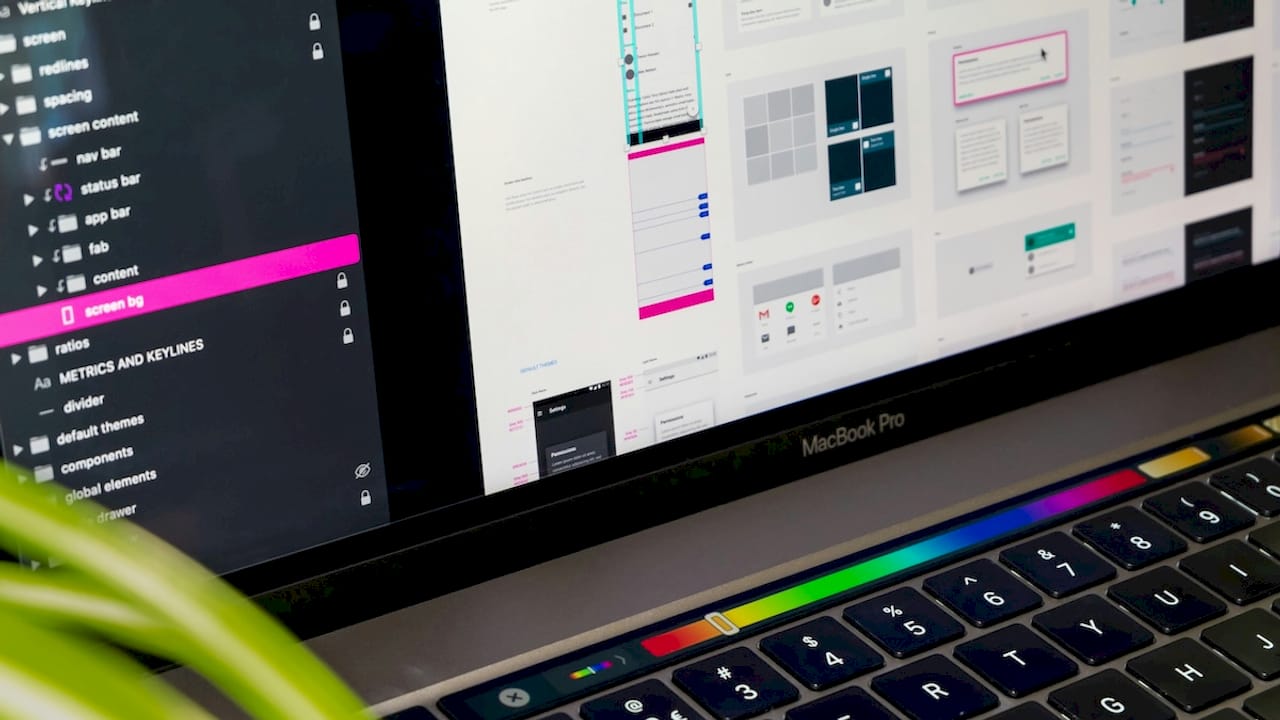
Dynamic websites enable authenticated user areas, custom product inventories, and real-time content updates. That power comes with complexity, though. You’ll need more development time, more ongoing maintenance, and a hosting setup that can handle the load.
If your business model depends on personalization or a constantly changing catalog, dynamic is the way to go. If you’re selling three services and your phone number, it’s probably overkill.
4. Responsive design
Responsive design is the one that most people mean when they say “mobile-friendly.” The layout fluidly adjusts based on the screen size of whatever device is viewing it. One codebase, one design, works everywhere.
Choosing between responsive, adaptive, and liquid designs affects how your content behaves across devices and directly impacts UX and conversion rates. Responsive is the most common choice for good reason. It’s cost-effective, widely supported, and Google rewards it in search rankings.
The catch? On very small or very large screens, a responsive layout sometimes makes compromises that a more tailored approach would avoid. For most businesses, though, responsive design is the right baseline.
5. Adaptive design
Adaptive design takes a different approach. Instead of one fluid layout, you build multiple fixed layouts, each optimized for a specific device width. When someone visits your site, the server detects their device and serves the right version.
Adaptive websites can deliver a more tailored experience per device category, but they require significantly more design systems work to build and maintain. Think of it as building three or four separate websites that share a brand identity.
This approach makes sense for businesses with very specific UX requirements on different devices, like a retail brand where the mobile checkout experience needs to be completely different from the desktop version.
6. Liquid design
Liquid (or fluid) design uses percentage-based widths instead of fixed pixel values. Everything scales proportionally as the browser window changes size. It’s flexible, but it doesn’t adapt to breakpoints the way responsive design does.
The result is a layout that always fills the screen, which can look great on mid-size screens and a little stretched on very wide monitors. Liquid design works well for content-heavy sites where you want text and images to breathe naturally across screen sizes without hard layout shifts.
It’s less common as a standalone approach today, but it often shows up as part of a hybrid design system.
7. Single-page design
Single-page websites put everything on one scrollable page. Navigation links jump to sections rather than loading new pages. It’s a focused, cinematic experience that works brilliantly for specific use cases.
Portfolios, product launches, event pages, and startup landing pages all thrive in this format. The design forces you to prioritize ruthlessly, which is actually a feature, not a bug. You can’t bury the important stuff when there’s only one page.
The downside is SEO. Single-page sites have fewer opportunities to rank for multiple keywords. If organic search traffic matters to your growth strategy, a multi-page site will serve you better in the long run.
8. Business website styles matched to real goals
Now let’s get specific. Different business website styles serve different objectives, and the best website layouts for business are the ones aligned with what you’re actually trying to accomplish.
Here’s how the design types map to common business goals:
-
Corporate websites: These prioritize clarity, consistency, and professional credibility. Corporate designs can vary widely without losing effectiveness, as long as clarity and consistency are maintained. Responsive design is standard here, and bold typography or subtle motion animation can add personality without sacrificing trust.
-
E-commerce websites: Dynamic design is the engine. You need real-time inventory, personalized recommendations, and a checkout flow that doesn’t make people abandon their cart. Responsive layout is table stakes; adaptive design is worth considering for high-volume mobile shoppers.
-
Content-driven sites (blogs, educational platforms): Responsive and adaptive designs shine here. The priority is readability across devices and fast load times. Clean layouts with strong typographic hierarchy keep readers engaged.
-
Portfolio and agency sites: Single-page or minimalist multi-page layouts work well. The design is the message. This is where you can lean into 2026 trends like 3D elements and motion animation without it feeling gimmicky.
-
Startup landing pages: Single-page design with a clear conversion goal. One message, one call to action, no distractions.
Pro Tip: Your design style should sound like your brand voice. A playful DTC brand and a B2B SaaS company might both use responsive design, but one should feel like a house party and the other like a well-run board meeting. The structure is the same; the personality is everything.
9. Side-by-side comparison of design types
Here’s a quick reference to help you weigh your options:
| Design type | Best for | Interactivity | Maintenance | SEO potential |
|---|---|---|---|---|
| Static | Brochure sites, consultants | Low | Low | Good |
| Dynamic | Ecommerce, memberships | High | High | Excellent |
| Responsive | Most businesses | Medium | Medium | Excellent |
| Adaptive | Device-specific UX needs | Medium | High | Good |
| Liquid | Content-heavy, flexible layouts | Medium | Low | Good |
| Single-page | Launches, portfolios, events | Low to medium | Low | Limited |
The right pick depends on your goals, your audience, and your resources. No single type wins across every category, which is exactly why hybrid approaches combining static content with dynamic components often deliver the best overall results.
10. How to decide on the best design for your business
Okay, so you’ve read through all the different website designs. Now what? Here’s a practical decision process that actually works:
-
Define your primary goal. Are you generating leads, selling products, building credibility, or publishing content? Your goal narrows the field fast.
-
Know your audience’s device habits. If 70% of your traffic is mobile, responsive or adaptive design is non-negotiable.
-
Audit your content. How much do you have? How often will it change? Static works for stable content; dynamic works for content that lives and breathes.
-
Set a realistic budget. Planning for responsive or adaptive designs requires anticipating iterative testing and multiple layout breakpoints, which many businesses underestimate when budgeting.
-
Think about 12 months from now. Will your needs scale? Build for where you’re going, not just where you are.
-
Pick a hybrid if you’re unsure. A static homepage with a dynamic blog or shop section gives you the best of both worlds without full complexity.
-
Test with real users. Launch a version, gather feedback, and iterate. The first version is never the final version.
My honest take on picking a website design
I’ve worked with enough founders to know that the “which design type should I pick?” question is almost always the wrong starting question. What they’re really asking is: “How do I make something that works?” And the answer is almost never a single clean design category.
In my experience, the businesses that obsess over picking the “right” type before they’ve talked to a single user end up rebuilding six months later anyway. The ones that launch something reasonable, watch how people actually use it, and adjust? They end up with sites that convert. Experimental navigation and motion effects are genuinely exciting in 2026, but I’ve seen beautiful sites with zero conversions and ugly ones that print money. Design type matters less than design intent.
The other thing I’d push back on: the idea that you have to pick one type and stick with it. Hybrid approaches are not a cop-out. They’re often the smartest move. A static marketing site with a dynamic product section is not a compromise. It’s a considered architecture decision.
The pitfall I see most often? Founders who choose a design style because a competitor uses it. Your competitor’s site was built for their audience, their content, and their budget. Build for yours.
— Coumba Evelyn
Ready to build something that actually works for your business?
At Coumba Win Design, we work with founders who are done guessing and ready to build with intention. Whether you need a custom business site design that reflects your brand’s personality or a fast-launch solution that gets you in front of investors in two weeks, we’ve got you covered.
Our style guide resources help you lock in branding consistency before a single line of code gets written. And if you’re a startup with a pitch event on the horizon, the Demo Day Kit gets your brand presentation-ready in 14 days flat. We’ve helped educational platforms rethink their UX and high-end apparel brands sharpen their digital narrative. Your site should work as hard as you do. Let’s make that happen.
FAQ
What are the main types of business website designs?
The main types are static, dynamic, responsive, adaptive, liquid, and single-page designs. Most real-world business sites use a hybrid of two or more of these approaches.
Which website design is best for a small business?
Responsive design is the most practical starting point for most small businesses. It works across all devices, supports good SEO, and keeps development costs manageable.
What is the difference between responsive and adaptive design?
Responsive design uses one fluid layout that adjusts to any screen size, while adaptive design uses multiple fixed layouts built for specific device widths. Adaptive offers more control per device but requires more work to build and maintain.
How do 2026 design trends affect my website choices?
Trends like 3D elements, motion animation, and experimental navigation can strengthen engagement when applied with purpose. They work best layered onto a solid structural foundation rather than chosen as the foundation itself.
Should I use a single-page design for my business website?
Single-page designs work well for focused goals like product launches, portfolios, or event pages. If organic search traffic is a priority for your business, a multi-page site will give you more ranking opportunities.
Recommended