
Design First Site Architecture for SEO That Stops Indexation Crashes

Design First Site Architecture for SEO That Stops Indexation Crashes
Site architecture is how you organize, connect, and expose a website’s pages so both crawlers and humans can navigate it without friction. The single highest-leverage move is organizing content into topic hubs and adding intentional internal links from your strongest pages to the ones that need help. Get that right, and you should see better crawlability, sharper topical signals, and authority flowing to the pages that actually need to rank.
TL;DR:
- Organize content into topic hubs and prioritize internal linking from strong pages to orphan or underperforming pages to improve crawlability and authority flow.
- Avoid deep page structures exceeding five clicks, as they reduce crawl frequency, update speed, and internal equity transfer, negatively affecting rankings.
- Maintain consistent URLs that mirror site hierarchy, use clear navigation with limited top-level items, and incorporate breadcrumbs with schema markup to enhance both user experience and search signals.
- Regularly audit internal links, fix redirect chains, canonicalize duplicate URLs, and keep sitemaps within protocol limits to prevent crawl errors and indexation issues.
- Involve both design and SEO teams in site architecture reviews before redesigns or launches to prevent growth-hindering navigation issues and preserve ranking performance.
Table of Contents
- What Is Site Architecture in SEO?
- Why Site Architecture Shapes Rankings, Not Just Rankings-Adjacent Metrics
- Which Site Structure Model Fits Your Site?
- How Do You Build an Internal Linking Strategy That Works?
- What Are the Sitemap Rules You Actually Need to Follow?
- How Should URLs, Navigation, and Breadcrumbs Work Together?
- How Do Topic Clusters and Pillar Pages Build Topical Authority?
- What Does a Site Architecture Audit Sprint Look Like?
- What Coumba Win’s Design-Led Projects Reveal About Architecture
- Why Should Designers and SEOs Co-Own Architecture?
- How Coumba Win Design Approaches Architecture-Led Redesigns
- Where to Verify These Technical Details
- Sources
- FAQ
What Is Site Architecture in SEO?
Site architecture is the skeleton underneath everything else you do in SEO. It’s not the same thing as information architecture, though people conflate the two constantly. Information architecture is about how content is categorized and labeled for human understanding (think: menu labels, taxonomies, content types). Site architecture is the technical expression of that thinking: the hierarchy, the URLs, the navigation, the internal links, and the sitemaps that carry it all to Googlebot and to your visitors.
Here’s the vocabulary you need to sound credible when you’re briefing a developer or a founder who thinks “SEO” means stuffing keywords into a title tag.
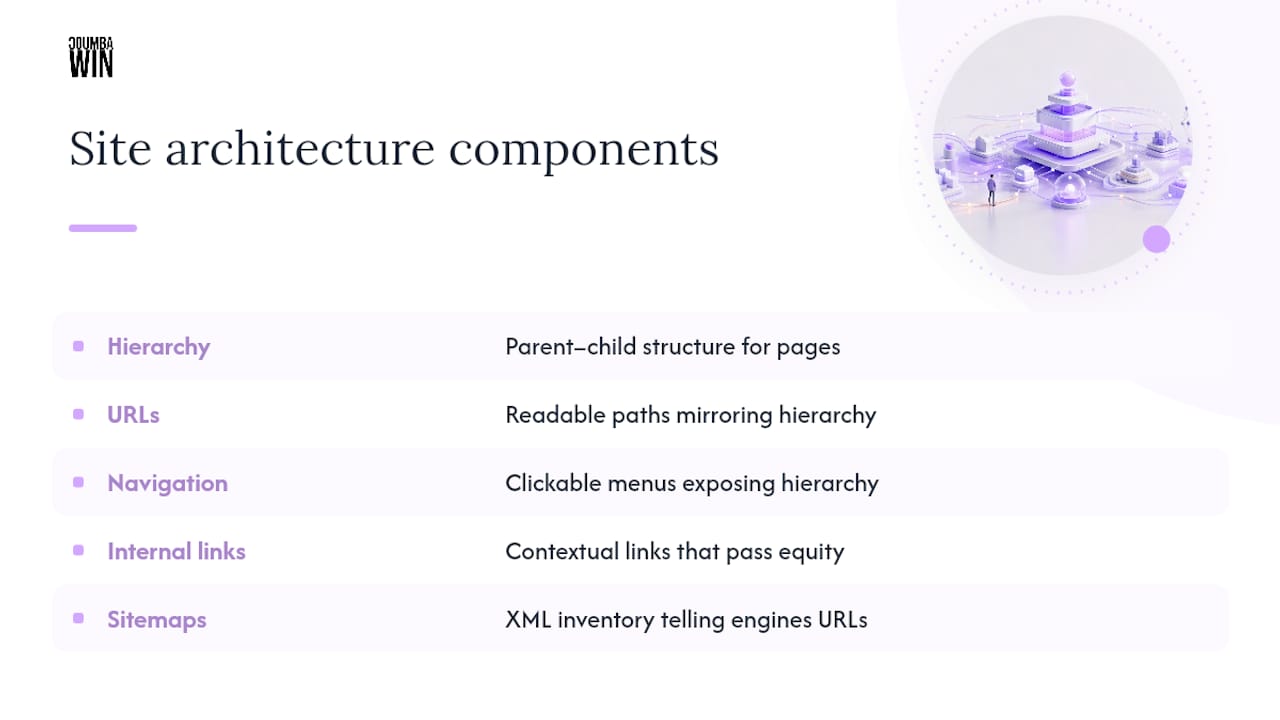
Hierarchy is the parent-child relationship between pages. A blog post about email deliverability sits under a “Marketing” category, which sits under the homepage. URLs should mirror that hierarchy in plain, readable paths. Navigation is the literal clickable structure, header menus, footer links, in-page nav, that exposes hierarchy to a visitor. Internal links are the contextual connections between pages that don’t fit neatly into a menu but matter for both users and crawlers. Sitemaps are the XML inventory that tells search engines which URLs exist and are worth crawling.
Each of these controls a different SEO lever. Crawlability determines whether Googlebot can reach a page at all. Indexation determines whether, having reached it, Google decides the page deserves a spot in the index. Link equity, the authority passed between pages through links, determines how much ranking power a page has once it’s indexed. A flawless page buried five clicks deep with zero internal links pointing to it can be crawlable, indexable, and still rank nowhere, because it never accumulates enough equity to compete.
Why Site Architecture Shapes Rankings, Not Just Rankings-Adjacent Metrics
Crawl budget is the finite attention Google gives your site during any crawl session, and depth is what burns through it fastest. A page buried six or seven clicks from the homepage doesn’t just feel harder to find. It genuinely gets crawled less often, which means updates to it get noticed slower and its ranking signals refresh slower. The old “three-click rule” gets treated like scripture in a lot of SEO training, but Google’s own sitemap best practices guidance frames it as a heuristic, not a hard rule. The actual goal is an efficient crawl path, not a specific click count.
Internal links are how link equity moves around your site, and not all links carry equal weight. A contextual link inside a paragraph, placed where a reader would naturally click to learn more, tends to carry more signal than the same link buried in a template footer that appears on every page site-wide. Google can tell the difference between “this link was placed because it’s genuinely relevant here” and “this link exists on 40,000 pages because it’s in the boilerplate.” That’s part of why intentional, audited internal linking outperforms automated plugin-driven linking for actually moving rankings.
User experience signals don’t directly set your ranking the way, say, a broken canonical tag might. But architecture that confuses users, deep menus, dead-end pages, navigation that requires three back-clicks to escape, produces behavior (fast bounces, short sessions) that correlates with weaker rankings over time. The mechanism is indirect. The outcome isn’t.
And there’s a newer wrinkle: topic clusters and pillar pages increasingly help AI-driven search systems interpret how deep your expertise actually runs, not just traditional crawlers. A site that organizes content into obvious clusters is handing both Google and generative AI models an easier map of what it actually knows.
Which Site Structure Model Fits Your Site?
There’s no single “correct” architecture. The right model depends on catalog size, content type, and how fast you’re publishing.
Flat architecture puts almost every page one or two clicks from the homepage, with minimal nested hierarchy. It works well for small brochure sites, a five-page consultancy site or a single-location service business, where there simply isn’t enough content to justify deep categorization. Force a hierarchy onto ten pages and you’ve just made navigation harder for no SEO benefit.
Hierarchical architecture organizes content into nested parent-child categories: homepage to category to subcategory to product or article. This is the standard model for e-commerce catalogs and larger content sites where logical grouping genuinely helps both users and crawlers.
Silo structure takes hierarchy further by intentionally restricting cross-linking between unrelated categories, keeping topical relevance tightly contained within each silo. It suits sites with genuinely distinct verticals, a site covering both “personal finance” and “home renovation,” for example, where blending the two would dilute topical clarity.
Hub-and-spoke (also called topic clusters) centers a comprehensive pillar page with multiple supporting “spoke” pages linking back to it and to each other. This is the strongest model for knowledge hubs, SaaS blogs, and editorial sites trying to build authority on a defined set of subjects.

If you’re migrating from one model to another, the biggest risk isn’t picking the wrong model. It’s URL churn during the move. Keep URLs stable where possible, and if paths must change, maintaining canonical alignment during the transition is what prevents an indexation crash in the weeks after launch.
How Do You Build an Internal Linking Strategy That Works?
Most sites don’t have too few internal links. They have the wrong ones, pointing in the wrong direction, from pages with no authority to spare.
Start with an audit, not a plugin install. Pull your top-performing pages by organic traffic and backlinks (these are your authority pages) and cross-reference them against orphan pages, ones with zero or near-zero internal links pointing at them. Orphan pages are invisible to crawlers unless they happen to be in your sitemap, and even then they’re starved of equity. Auditing high-authority pages and deliberately routing links to underperforming ones beats blanket automated linking every time, because automation doesn’t know which pages actually need the help.
Here’s a practical sequence for running that audit:
- Export a full crawl (Screaming Frog or a similar crawler) and flag pages with zero inbound internal links.
- Cross-reference orphan pages against your top 20 organic-traffic pages to find linking opportunities.
- Add two to four contextual links from each authority page into a relevant orphan or underperforming page.
- Recheck click depth so no priority page sits more than three or four clicks from the homepage.
- Log the changes and revisit performance in Google Search Console after 30 to 60 days.
On placement: contextual links inside body copy, especially early in the content, tend to carry more weight than links crammed into a sidebar or footer. But don’t overdo it. Cramming 40 links onto a single page dilutes the equity each one passes, and it reads as spammy to anyone actually trying to read the piece.
Anchor text matters more than most teams treat it. Varied, descriptive anchors (“internal linking audit process” instead of “click here” or the same exact-match phrase every time) help Google understand context without tripping over-optimization filters.
Pro Tip: Set a recurring quarterly calendar reminder to run a link sweep. Every time you publish new content, add at least one contextual link from an existing high-authority page into the new piece before it goes live, not months later once you remember.
Maintenance isn’t optional. Sites accumulate orphan pages constantly as old content gets forgotten and new content launches without anyone linking to it. A quarterly sweep, plus a standing rule that every new page gets linked from at least one relevant existing page at publish time, keeps the whole system from decaying.
What Are the Sitemap Rules You Actually Need to Follow?
The protocol limits are exact, and violating them silently breaks your indexation pipeline. A single XML sitemap file can contain up to tens of thousands of URLs and a file size within recommended limits. Exceed either limit and you need a sitemap index file that references multiple child sitemaps, each of which can itself hold up to 50,000 entries.
Google’s own guidance is specific about hygiene, too: use fully-qualified absolute URLs, keep the file UTF-8 encoded, and host sitemaps at the site root when possible. Submit through Search Console or reference the sitemap location in robots.txt so crawlers can discover it without you manually pinging anyone.
What actually belongs in the file matters more than most teams assume. A sitemap should be a curated inventory, not a dump of every URL your CMS can generate. Redirects, noindex pages, and parameter-duplicated URLs weaken crawl efficiency and send conflicting signals when they show up alongside your canonical pages.
| Sitemap element | Rule | Why it matters |
|---|---|---|
| URLs per file | 50,000 maximum | Protocol hard limit; exceeding it invalidates the file |
| File size | 50MB uncompressed maximum | Same protocol constraint as URL count |
| Sitemap index capacity | Up to 50,000 child sitemaps | Lets very large sites scale beyond a single file |
| Included URLs | Canonical, 200 OK pages only | Redirects and noindex pages create conflicting signals |
| Encoding | UTF-8, absolute URLs | Required for reliable crawler parsing |
| Discovery method | robots.txt reference or Search Console submission | Standard path for crawler discovery and validation |
For large sites, segmenting sitemaps by template or section, product pages in one file, category pages in another, blog content in a third, makes troubleshooting dramatically easier. When something breaks, you know exactly which segment to check instead of combing through one monolithic file.
After submission, the work isn’t done. Watching sitemap processing status and coverage reports in Search Console is how you catch a spike in “discovered, not indexed” errors before it quietly costs you a month of visibility.
How Should URLs, Navigation, and Breadcrumbs Work Together?
Your URL path should mirror your hierarchy, plainly. A page about running shoes under a “Footwear” category should read something like /footwear/running-shoes/, not a query string trailing five parameters deep. Short, readable, canonical URLs give both users and crawlers an immediate read on where a page sits in the site.
Header navigation works best with five to seven top-level items. Beyond that, you’re asking visitors to parse a menu instead of scan it. Mobile navigation needs to expose the same hierarchy as desktop, not a stripped-down version that hides half your categories behind a hamburger icon and three extra taps.
Breadcrumbs do double duty. They orient a visitor (“Home > Footwear > Running Shoes > Men’s Trail Runners”) and, when marked up with BreadcrumbList schema, they give Google an explicit hierarchy signal it doesn’t have to infer from URL structure alone. That schema markup can also surface as a visible breadcrumb trail in search results, which is a small but real click-through advantage.
Three things quietly wreck this system. Parameter sprawl, letting filters and tracking tags generate infinite URL variants, splits your ranking signals across dozens of near-duplicate pages. Redirect chains (A redirects to B redirects to C) waste crawl budget and dilute equity at every hop. And pagination that relies on JavaScript-only “load more” buttons instead of real HTML links to page 2, page 3, and so on can leave entire sections of a catalog invisible to crawlers that don’t execute every script.
How Do Topic Clusters and Pillar Pages Build Topical Authority?
A pillar page is a comprehensive, broad-coverage page on a core subject, supported by spoke pages that each cover specific facets of that subject in more detail.
The linking pattern matters more than the content itself. Every spoke links up to the pillar, and the pillar links down to every spoke. Related spokes across different clusters should link to each other when the topics genuinely overlap, not as a courtesy, but because that pattern is what signals depth of coverage to search engines and to AI-driven systems parsing your site’s expertise.
Building clusters from an existing content library is usually faster than starting from scratch. Audit what you already have, group it by subject, identify where the obvious pillar topic is missing entirely, and write it. Then go back through every related spoke and add the internal links that should have existed all along. Half the work is often just linking content you already published.
Measure cluster success with a small set of KPIs: organic traffic to the pillar page specifically, the number of keywords the cluster ranks for as a group, and click depth from homepage to each spoke. If a spoke still sits four clicks deep six months after the cluster launched, the linking pattern isn’t working yet, no matter how good the content is.
What Does a Site Architecture Audit Sprint Look Like?
Start with a full crawl using a tool like Screaming Frog, paired with whatever your CMS’s built-in site audit reports, plus Google Search Console’s coverage and page-indexing reports. Together they surface three recurring problems: orphan pages with no inbound internal links, pages sitting at excessive click depth, and redirect chains that quietly waste crawl budget on every visit.
Once you have the list, prioritize by impact versus effort rather than tackling issues in the order the crawl report lists them. A high-traffic page stuck five clicks deep is a higher priority than a low-traffic page with a single broken internal link, even though the second issue might be technically easier to fix.
A realistic first-sprint priority list looks like this:
- Submit or resubmit your XML sitemap through Search Console if it hasn’t been validated recently.
- Add contextual links from your three to five highest-authority pages into your most important orphan or underperforming pages.
- Canonicalize duplicate URLs created by filters, parameters, or tracking tags.
- Fix redirect chains so every internal link points to the final destination URL, not an intermediate hop.
- Flatten click depth on your top 20 priority pages to three clicks or fewer where feasible.
Pro Tip: Don’t fix everything at once and then wait three months to check results. Make changes in batches, note the date, and check Search Console’s coverage report two to four weeks later so you can actually attribute improvement to the right fix.
Verification isn’t a one-time step. Recrawl monthly, or after any significant content push, and watch for new orphan pages creeping back in. Architecture decays quietly if nobody owns it.
What Coumba Win’s Design-Led Projects Reveal About Architecture
Coumba Win Design has approached architecture as a design problem as much as a technical one, working on projects like restructuring an educational platform’s user experience to clarify how learners moved between course content, and refining brand narratives for a high-end apparel company where confusing category structure was quietly costing conversions.
The recurring lesson across that kind of work: architecture problems rarely announce themselves as architecture problems. A founder complains about weak conversion rates or a confusing checkout, and the root cause turns out to be a navigation structure that buries the exact page a visitor needs three menus deep. Fixing the UX and fixing the crawl path end up being the same project.
Startups scaling fast tend to bolt new sections onto an existing site without revisiting the hierarchy underneath. That’s how a six-page brochure site turns into a 200-page mess of orphaned blog posts and duplicate category pages within eighteen months. Catching that early is cheaper than fixing it after Google has already deprioritized half the site. before a redesign becomes mandatory, is cheaper than fixing it after Google has already deprioritized half the site.
Why Should Designers and SEOs Co-Own Architecture?
I’ve watched too many redesigns tank rankings for months because the design team shipped a beautiful new navigation with zero SEO review, and too many SEO audits get ignored because they landed as a spreadsheet nobody with design authority ever read. Architecture belongs to both teams or it belongs to neither, and the site pays for that gap either way.
The fix is a ritual, not a policy document: an information architecture review before wireframes get finalized, and a full crawl check before any launch goes live. If your team doesn’t have that checkpoint yet, build it into the next redesign. Audit your current architecture jointly before you touch a single page.
— Coumba Evelyn
How Coumba Win Design Approaches Architecture-Led Redesigns
Most agencies treat site architecture as an afterthought bolted onto a pretty redesign. Coumba Win Design builds it in from the start, because a navigation system that looks sharp but buries your highest-converting page five clicks deep isn’t a design win, it’s a growth problem wearing a nice coat.

Coumba Win Design’s UX Design and Webflow Development work covers exactly the territory this article walks through: hierarchy planning, internal linking patterns, navigation structure, and accessibility audits that catch the friction points a standard SEO crawl misses. The Webflow project portfolio shows how that plays out on real builds, where component systems and style guides keep a growing site’s architecture consistent as new pages get added, instead of drifting into the kind of orphaned-page mess most fast-scaling startups accumulate by year two.
If your site’s architecture is fighting your growth instead of supporting it, start with a conversation. Reach out through Coumbawin to talk through what a design-led architecture review would look like for your specific catalog and content plan.
Where to Verify These Technical Details
Bookmark these before your next audit. Protocol and platform documentation changes less often than SEO blogs claim it does, but when it does change, these are the sources that actually reflect it.
The Sitemaps.org protocol page is the canonical reference for file size and URL count limits. Google Search Central’s sitemap guide covers submission and encoding requirements straight from the source. For broader tactical context, the XML sitemap guide for technical SEO and Search Engine Land’s sitemap guide round out monitoring and troubleshooting practices. For a second practical walkthrough on structuring a site from scratch, Magic Logix’s site architecture primer and Baby Love Growth’s crawlability blueprint are both worth a read.
Sources
- Sitemaps
- XML sitemap guide for technical SEO
- Topical authority (HubSpot Glossary)
- Search Engine Land - sitemap guide
FAQ
What Is Site Architecture in SEO?
Site architecture is the way a website’s pages are organized, linked, and exposed through URLs, navigation, and sitemaps so both search engines and visitors can find content efficiently. It covers hierarchy, internal linking, and sitemap structure as a system, not any single element in isolation.
How Many URLs Can One XML Sitemap File Contain?
A single sitemap file can hold up to tens of thousands of URLs and a file size within recommended limits. Sites that exceed either limit need a sitemap index file referencing multiple child sitemaps.
What’s the Difference Between Hierarchical and Silo Site Structures?
Hierarchical architecture nests categories and subcategories without restricting links between them, while silo structure intentionally limits cross-linking between unrelated topic areas to keep each silo’s relevance tightly focused. Hierarchical fits most e-commerce and content sites; silo fits sites covering genuinely distinct verticals.
How Deep Should a Page Be From the Homepage?
There’s no strict rule, but pages that sit five or more clicks deep tend to get crawled less often and accumulate less link equity. The real goal is an efficient crawl path, not hitting an exact click count.
Can Coumba Win Design Help Fix a Broken Site Architecture?
Yes. Coumba Win Design’s UX and Webflow development work includes hierarchy planning, internal linking structure, and accessibility audits for startups whose sites have outgrown their original navigation. Pricing is available by request through Coumbawin.