Build an Immersive Website for Your Startup Launch

Build an Immersive Website for Your Startup Launch
The fastest, safest way to ship an immersive launch site is this: lead with conversion-first content, layer in purposeful interactive moments (parallax, micro-interactions, selective WebGL), and build everything on a progressive-enhancement foundation so the experience never breaks on slower devices. A realistic MVP timeline is 10 weeks: two weeks for discovery and content, three weeks for design and prototyping, four weeks for build and integration, and one week for QA and launch. Budget-wise, a DIY or low-code build costs less than a mid-range agency engagement, which in turn is less expensive than a full custom WebGL with motion design build. Whatever your budget, the non-negotiables stay the same: fast load times, a clear primary CTA above the fold, cross-device reliability, and analytics wired before day one.
Table of Contents
- What does an immersive website actually do for a startup?
- Which immersive design techniques actually move the needle?
- What are the best practices for your startup’s launch site?
- How do you build an immersive startup site step by step?
- What assets and QA checks do you need before launch?
- How do you keep an immersive site fast, accessible, and findable?
- How Coumba Win Design executes immersive launch sites
- Key Takeaways
- The tradeoffs founders actually face
- Coumba Win Design’s managed path to your launch site
- FAQ
- Further reading and tools
What does an immersive website actually do for a startup?
An immersive website is a purpose-built, interactive experience that guides users toward a conversion while communicating brand context. That last part matters. It is NOT just a site with big visuals or a flashy hero animation. The distinction is intent: every interactive moment should move the visitor one step closer to signing up, booking a demo, or joining a waitlist.
A few misconceptions worth clearing up before you spend a dollar:
- “All 3D is immersive.” Not even close. A spinning logo is decoration. A 3D product demo that lets a visitor explore your core feature? That is immersive.
- “Bigger visuals always build trust.” Oversized hero images with no supporting copy often tank conversions because visitors can’t figure out what you actually do.
- “Immersive means no text.” The most effective immersive launch sites blend cinematic interactive moments with readable, informative content that answers customer pain points.
So when should you go immersive versus content-first? If your product is visual, spatial, or experiential (hardware, XR, consumer apps, fashion tech), then immersive design pays off immediately. If you are a B2B SaaS with a complex workflow product, a long-form homepage that explains the problem, audience, and differentiation will almost always outperform a WebGL showcase at launch. Know your buyer before you pick your technique.
Which immersive design techniques actually move the needle?
Not all effects are created equal, and the wrong one at the wrong moment costs you both performance and conversions. Here is how the main techniques map to real outcomes:

| Technique | Best outcome | Dev cost | Fallback strategy |
|---|---|---|---|
| Micro-interactions | Engagement, delight, form completion | Low | CSS-only version |
| Parallax scrolling | Storytelling, depth, scroll momentum | Low–Medium | Static layered images |
| CSS/JS motion & transitions | Page flow, CTA attention, onboarding | Medium | Reduced-motion media query |
| Video (looping/autoplay) | Product demo, brand mood | Medium | Poster image + play button |
| WebGL / Three.js 3D | Product visualization, wow factor | High | Pre-rendered image fallback |
| Horizontal scroll | Narrative sequencing, portfolio | Medium | Vertical reflow on mobile |
| Audio | Atmosphere, immersive storytelling | Low | Muted by default, user toggle |
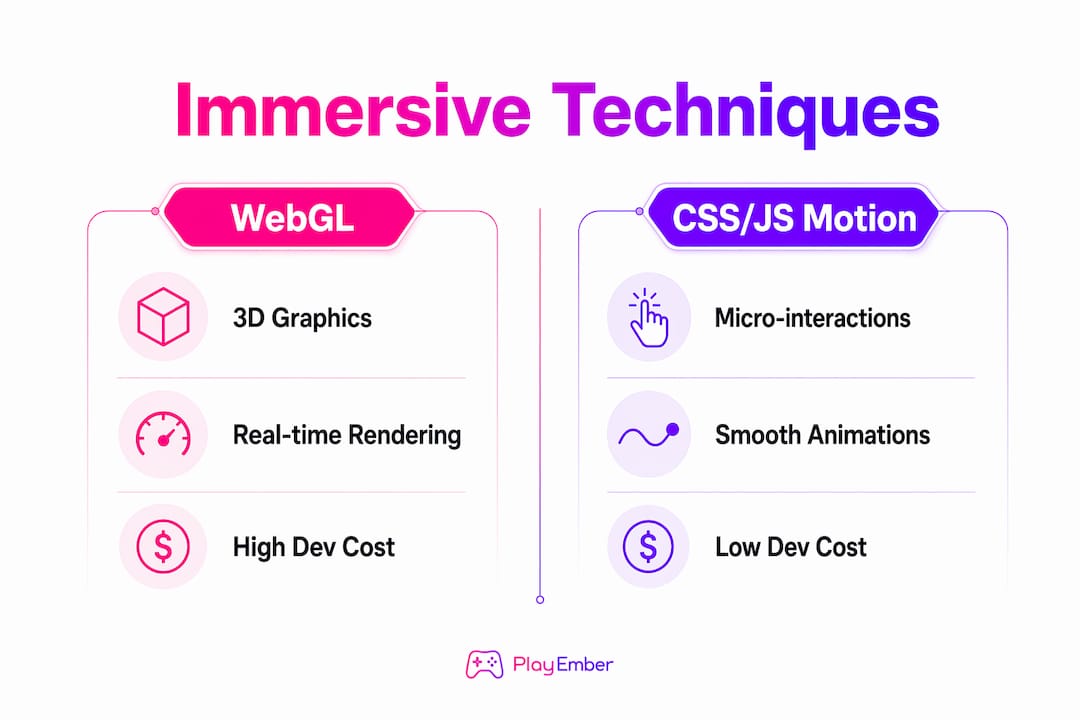
The key call here is WebGL versus CSS/JS motion. WebGL gives you cinematic 3D and real-time rendering, but it carries real costs: asset file sizes balloon, render loops eat battery on mobile, and maintenance requires a specialist. For most early-stage startups, CSS and JavaScript motion (think GSAP, Framer Motion, or Lottie animations) delivers 80% of the perceived polish at a fraction of the build time and ongoing maintenance burden. Check out motion design for brand engagement for a deeper breakdown of when motion pays off.
When you do go WebGL, use a multi-scene architecture with environment-map-based reflections instead of real-time reflections. This approach, used in high-profile immersive web builds, swaps environment maps between scenes to reduce rendering cost and keeps cross-device stability solid. Pair it with a pre-rendered image fallback for devices that fail the WebGL capability check.
Pro Tip: Map every interactive moment to a specific KPI before your designer touches a single frame. If you can’t answer “what does this animation make the user do next?”, cut it.
Designers consistently emphasize purposeful immersive elements that guide users to specific conversion goals rather than showcasing tech for its own sake. That principle should be your filter for every effect you greenlight.
What are the best practices for your startup’s launch site?
Conversion comes first. Place your primary CTA (a “Try a demo” or “Join the waitlist” button) above the fold, repeated at the end of each major scroll section. Early startup sites that use action-oriented CTAs consistently outperform those with vague “Learn more” links for capturing early adopters.
Your story flow should follow a clear arc: hook (what you do and for whom), problem (why it matters), solution (your product in action), proof (social proof, even if it’s just a beta tester quote or a logo from an accelerator), and CTA. Each immersive moment should punctuate a story beat, not interrupt it. Think of the interactive scenes as chapter headings, not the chapters themselves.
For analytics, wire scroll-depth events at meaningful intervals before launch, not after.
- CTA click events with source attribution
- Form start and form completion events
- Video play and completion rates
- Page load time and Core Web Vitals baseline
A blog is important for early organic growth. B2B and technical startups need long-form homepage content plus a blog from day one to build topical depth and capture search traffic before paid channels kick in. Start with several posts that answer the top questions your buyers are Googling. Pair that with website storytelling techniques to keep the narrative consistent from homepage to blog.
How do you build an immersive startup site step by step?
Here is the phase-by-phase plan you can hand directly to your team or agency:
-
Discovery and content. Define your conversion goal, primary audience, and value proposition. Write homepage copy, CTA text, and blog post outlines before design starts. Lock your brand guidelines. Deliverable: content brief and brand asset folder.
-
Design and prototype. Build a design system top-down: visual system first, then component templates. This produces reusable components and consistent animation patterns that cut rework during build. Prototype key immersive moments in Figma or Framer. Get founder sign-off on motion direction before any code is written.
-
Build and integrate. Front-end dev implements the design system. Motion/3D specialist builds WebGL scenes or JS animations. CMS engineer sets up content models. Wire analytics, A/B testing, and consent management. Deploy with a CI/CD pipeline.
-
QA and launch. Full cross-device and cross-browser test pass. Performance audit against Core Web Vitals targets. Accessibility scan. Consent flow verification. Soft launch to beta list, then public launch. See the step-by-step founder launch guide for a complementary checklist on the business side.
Roles you need: founder (content sign-off), UX designer, motion or 3D specialist (if WebGL), front-end dev, CMS/backend engineer, QA tester, and analytics owner. On a lean budget, one person can cover two or three of these roles, but the QA and analytics owner should never be the same person who built the feature.
Tooling by budget: Low-code (Framer, Webflow, Draftly) for lower budget; mid-range custom stack (Next.js + headless CMS + GSAP) for moderate budget; full custom WebGL (Three.js or Babylon.js + custom backend) for highest budget.
What assets and QA checks do you need before launch?
Getting your asset folder right before handoff saves days of back-and-forth. Here is the full inventory:
- Logos: SVG (primary) and PNG at 2x resolution; dark and light variants
- Brand guidelines: typography specs, color hex/RGB values, spacing rules
- Product images: minimum 2000px wide, WebP format, compressed under 200KB each
- Video: MP4 (H.264) for broad compatibility, WebM for modern browsers; autoplay clips under 10MB; poster image for every video
- 3D models: glTF or GLB format (not OBJ or FBX for web); LOD (level of detail) variants at high, medium, and low poly counts; texture maps at 1024x1024 or 2048x2048 maximum
- Audio: MP3 and OGG formats; muted by default with a visible user toggle
- CMS content: all copy in a shared doc with heading hierarchy, meta titles, and meta descriptions written before dev starts
- Analytics: GA4 property created, GTM container configured, conversion events documented
Prelaunch QA matrix:
- Cross-device: test on iOS Safari, Android Chrome, and desktop (Chrome, Firefox, Safari, Edge)
- Performance: Largest Contentful Paint under 2.5 seconds, Cumulative Layout Shift under 0.1
- Accessibility: keyboard navigation through all interactive elements, ARIA labels on custom controls, captions on all video
- Cookie/consent: consent banner fires before any tracking scripts load; privacy notice linked in footer
- 404 and redirect check: all internal links resolve; canonical tags set on pre-launch pages
Label every asset file with a clear naming convention (e.g., hero-video-desktop-v2.mp4) and host them in a shared drive folder your dev team can access without asking you twice.
How do you keep an immersive site fast, accessible, and findable?
Performance is where immersive sites most often blow up their own conversions. The fix is progressive enhancement: build a fully functional, content-first experience first, then layer interactive enhancements on top for capable devices. Never make the immersive layer load-blocking.
Specific strategies that work:
- Lazy-load all WebGL scenes and heavy video below the fold
- Use server-side snapshots or static pre-renders for WebGL-heavy sections so search engines and social crawlers see real content
- Inline critical CSS; defer all non-critical scripts
- Compress images with Squoosh or ImageOptim; serve next-gen formats (WebP, AVIF)
For accessibility, every interactive scene needs keyboard navigation. Custom WebGL controls require ARIA roles and labels. All video needs captions; all audio needs a transcript or skip option. Run automated scans with Axe or Lighthouse, then do a manual keyboard-only walkthrough before launch. Check mobile UX best practices for device-specific testing patterns.
SEO on immersive sites is often neglected until it’s too late. Your homepage needs indexable text content in the HTML, not just rendered via JavaScript. Add structured data (Product, Organization, and WebSite schema) for launch pages. Set canonical tags on any pre-launch or coming-soon variants. Write unique meta titles and descriptions for every page before launch, not after.
For testing, set up Core Web Vitals monitoring in Google Search Console and a synthetic monitoring tool like Calibre or SpeedCurve. Run cross-browser device farm tests via BrowserStack or LambdaTest before the public launch date.
How Coumba Win Design executes immersive launch sites
Coumba Win Design’s process for an immersive launch site runs in four stages: discovery and content strategy, creative prototyping, incremental motion or WebGL build, and CMS integration with iterative QA. The discovery phase is where most agencies skip the hard work. Coumba Win Design spends real time with founders to define the single conversion goal and map every interactive moment to a measurable KPI before a single frame is designed.
Here is a compact example of how that plays out. An early-stage edtech startup came in with a visually ambitious brief and a 10-week timeline. The goal: a launch site that would convert visitors to a beta waitlist. The approach combined a scroll-driven product demo (CSS/JS, no WebGL) with a long-form homepage that answered the top three buyer objections. The result was a site that loaded fast on mobile, passed WCAG 2.1 AA accessibility checks, and hit its waitlist target within the first two weeks of launch.
That principle shapes every Coumba Win Design engagement. The interactive features that convert are never the flashiest ones — they are the ones tied to a clear next step.
One-page brief template you can use to engage any agency:
- Goal: Primary conversion action (e.g., waitlist signups, demo bookings)
- KPIs: Target conversion rate, page load time, accessibility standard
- Audience: Primary persona, device split estimate, technical sophistication
- Must-have assets: Logo files, brand guidelines, product images, video
- Budget band: Low-code / mid-range / full custom
- Timeline: Hard launch date and any milestone dependencies
Pro Tip: Send this brief to any agency before your first call. The ones who respond with clarifying questions about your conversion goal (not your color preferences) are the ones worth hiring.
Key Takeaways
An immersive startup launch site succeeds when every interactive moment is tied to a conversion goal, built on progressive enhancement, and launched with analytics and accessibility in place from day one.
| Point | Details |
|---|---|
| Lead with conversion | Place your primary CTA above the fold and repeat it after each major scroll section. |
| Choose effects by outcome | Use CSS/JS motion for most effects; reserve WebGL for product demos with a clear pre-rendered fallback. |
| Progressive enhancement first | Build a functional content-first experience before layering interactive effects on top. |
| Wire analytics before launch | Set up scroll-depth, CTA click, and form events in GA4 before the site goes live. |
| Coumba Win Design | Coumba Win Design handles discovery, prototyping, build, CMS integration, and QA for startup launch sites end to end. |
The tradeoffs founders actually face
Speed versus polish is the one that trips up almost every founder I talk to. Here is the honest take: a fast, content-first site with one or two well-executed interactive moments will outperform a slow, visually stunning site every single time. Visitors don’t wait. If your Largest Contentful Paint is over 3 seconds, a significant share of your launch traffic bounces before they see your hero animation.
The custom WebGL versus maintainability tradeoff is real too. WebGL is genuinely spectacular when it serves the product story, but it requires a specialist to maintain. If your team doesn’t have that person in-house, you will be paying agency rates every time you want to update a scene. For most seed-stage startups, a CSS/JS motion approach with a well-documented design system is the smarter long-term bet. The immersive entrepreneurship approach is about creating meaningful experiences, not necessarily the most technically complex ones.
Content depth versus time-to-launch is the third tradeoff. My advice: launch with a complete homepage, one product or solution page, and five blog posts. Don’t wait until you have 20 pages. Organic traffic compounds over time, and a blog started at launch will outperform one started six months later.
On hiring: bring in an agency when you need end-to-end accountability (design, build, QA, and launch in one engagement). Hire a freelance motion or 3D specialist when you have an in-house dev team but need a specific effect built once. Expect freelance motion specialists to charge typical contract rates; agency engagements for a full immersive launch site have a higher starting price.
One security note: launch funnels collect email addresses and sometimes payment intent data. Use HTTPS everywhere (non-negotiable), store form submissions in a compliant CRM, and make sure your consent management platform fires before any tracking scripts load. This is not optional under U.S. state privacy laws like CCPA.
Coumba Win Design’s managed path to your launch site
Founders who want a launch site that actually converts don’t need to choose between “DIY and hope for the best” and “spend six months with a traditional agency.” Coumba Win Design is the faster, founder-focused alternative: a managed end-to-end service that covers discovery, creative prototyping, build, CMS integration, QA, and launch support, all scoped specifically for early-stage startups.
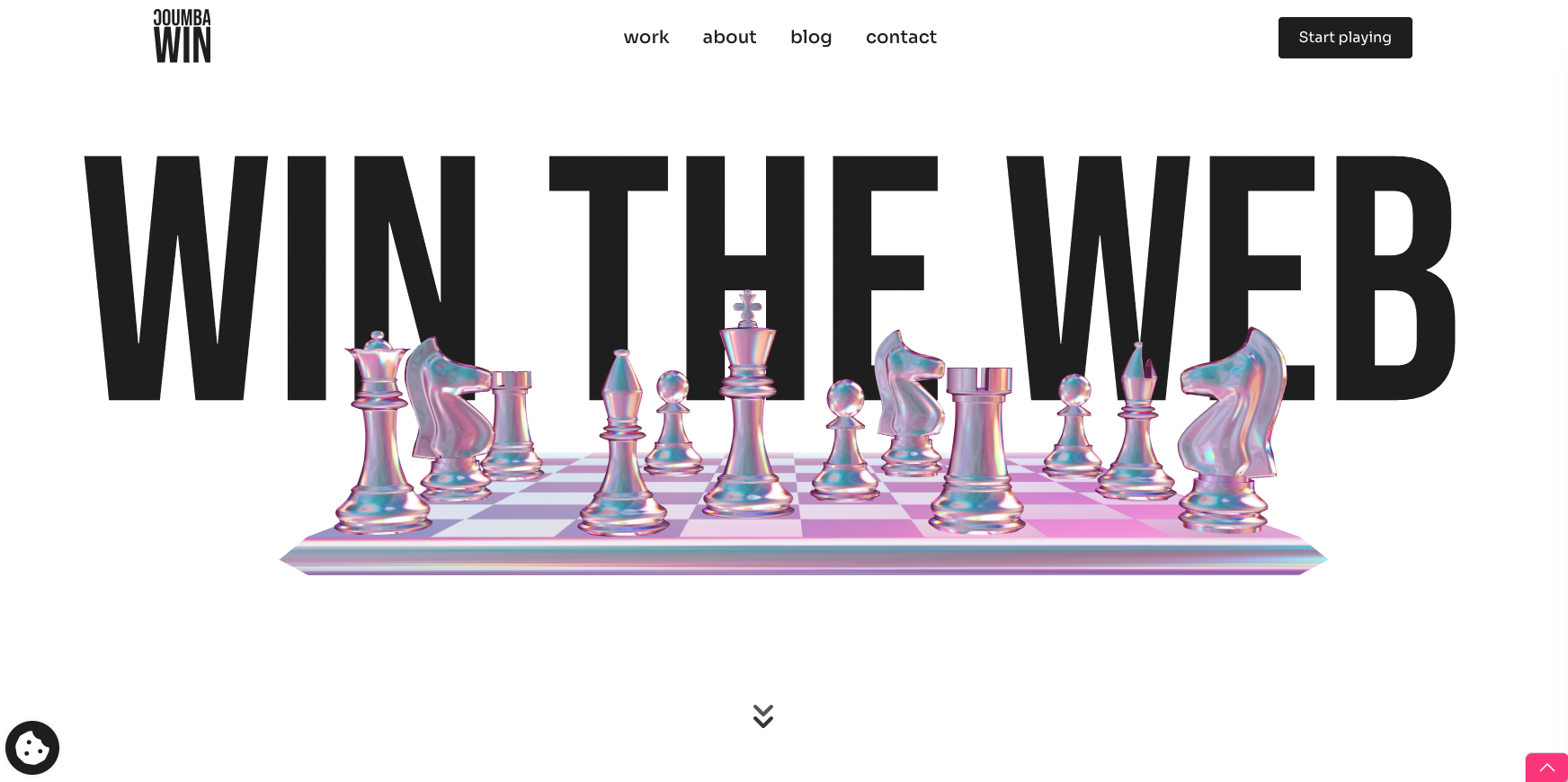
The concrete difference is accountability at every stage. You get a conversion-first design system, a CMS your team can actually update without a developer, and a launch-ready site that passes Core Web Vitals and WCAG 2.1 AA checks before it goes live. No six-month timelines. No mystery invoices. Just a site that’s ready to capture your first wave of early adopters.
Ready to scope your launch site? Start the conversation with Coumba Win Design and get a project estimate tailored to your timeline and budget.
FAQ
What is an immersive website for a startup launch?
An immersive launch site is a purpose-built, interactive web experience that guides visitors toward a single conversion action (waitlist signup, demo booking) using targeted effects like parallax, micro-interactions, or WebGL, combined with readable content that answers buyer questions.
How long does it take to build an immersive startup site?
A realistic MVP timeline is 10 weeks: two weeks for discovery and content, three weeks for design and prototyping, four weeks for build and integration, and one week for QA and launch.
Do I need WebGL to build an immersive website?
No. CSS and JavaScript motion (GSAP, Framer Motion, Lottie) delivers strong perceived polish at a fraction of the build and maintenance cost. Reserve WebGL for product visualization moments where 3D genuinely serves the story, and always include a pre-rendered image fallback.
What should my startup website’s primary CTA say?
Action-oriented CTAs like “Try a demo” or “Join the waitlist” consistently outperform vague alternatives for converting early-stage visitors into adopters. Place the CTA above the fold and repeat it after each major content section.
How do I make sure my immersive site ranks on Google?
Use indexable HTML text content (not JavaScript-only rendering), add structured data (Product and Organization schema), set canonical tags on pre-launch pages, and publish a blog from day one to build topical depth and organic traffic over time.
Further reading and tools
Bookmark these for the build:
- Headless CMS options: Contentful, Sanity, Prismic (mid-range to custom builds); Webflow CMS or Framer CMS (low-code)
- Motion and WebGL libraries: GSAP (JavaScript animation), Three.js and Babylon.js (WebGL), Lottie (lightweight vector animation), Framer Motion (React)
- Asset optimization: Squoosh (images), Handbrake (video compression), glTF-Transform (3D model optimization)
- Performance and testing: Google Lighthouse, Calibre or SpeedCurve (synthetic monitoring), BrowserStack or LambdaTest (cross-device testing), Axe (accessibility scanning)
- Inspiration and patterns: Award-winning startup website examples and bold startup design approaches from the Coumba Win Design blog
- Startup website examples: Webflow’s startup website collection for structural and CTA patterns
- One-page brief template and prelaunch checklist: available through Coumba Win Design on request via coumbawin.com
Recommended